What is a print head?
A print head is the part that is responsible for transferring, drop by drop, the ink to the paper in ink printers. That is, it is the component that makes the ink come out of the printer and adhere to the paper in the programmed place. Which allows us to obtain printouts of documents or photographs. How does a print head work and what is it for? The print head is powered by a precision motor, in all steps of the ink transfer process, which in turn moves back and forth a toothed belt that moves back and forth in a linear fashion. The print head is a component of a printer that is usually located under the printer cover and can become clogged with ink over time. Now that we have given you the answer to What is a print head?, we will tell you about head wear and replacement, and how to clean the head.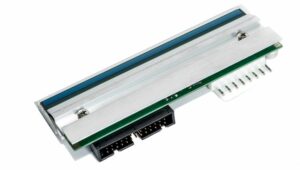
Head wear and replacement
Normally, print heads wear out as a result of the mechanical stress generated during printing. This takes place at one end through the constant expansion and contraction of the thermal elements, and at the other by the drying of ink. Heat and abrasion can cause wear on the print head. Therefore, to maximize print head life, use the lowest print darkness setting (sometimes called burn-in temperature or head temperature) and the lowest print head pressure necessary to produce good quality of impression.A print head can dry out several times, and apart from its normal wear, it also happens that it is stressed by the so-called head cleaning. Most current printers include heads that can be changed and also indicate each time they need to be replaced with new ones. But, even before the printer itself warns you, you yourself may begin to notice that streaks appear on the print, which indicates that head cleaning will not solve the problem and the print head should be changed as soon as possible.
Print heads tend to dry out if they are not used for a couple of weeks, and that is when they need to be cleaned. When this happens, it will be damaged more quickly than a couple of years ago, and this is because we make fewer and fewer prints.
The time it takes for a print head to dry depends on the conditions and environment in which the printer is located. In this case, external agents such as humidity come into play, in addition to the frequency with which they are used. However, we can define that a period between 3 and 4 weeks without use is enough for a print head to dry out and cleaning is necessary to ensure its correct functioning.
If you are wondering what is the useful life of a printer head? On the one hand, there is the useful life of the head according to the manufacturer, which can be from 6-12 months for a normal head, to 1-2 years for more industrial heads.
Devices that are permanently on perform automatic head cleaning at intervals that are generally previously configured by the manufacturer. It is good to know that each printer is different from the others, and therefore the print heads are also different. If you are looking for a print head you must first make sure what the model of your printer is and look for the one that is compatible. One of the easiest ways to recognize if your print head needs cleaning is by looking at the sheets you print. If lines or streaks begin to appear throughout the print or the cartridge does not release ink, it is time to perform a head cleaning.
How to clean the print head
A quick summary of how you can clean the printer head:- –Run the “Clean Print Head” function from your computer.
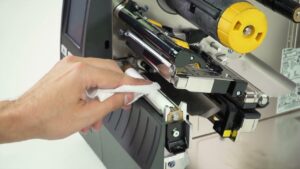
- –If the previous step does not work, open the cover of your printer and then unplug it from the outlet.
- – Clean the contacts of the print head, you can use 99.7% isopropyl alcohol with a cotton pad.
- – Plug your printer into the power outlet.
- – Let the printer start up and run the automated startup sequence.
- – Print a test sheet to see if this simple procedure fixed the problem.
- – You may need to do this procedure several more times.
- – If all else fails, contact us for Barcode Site technical support.
Periodic cleaning, how often should you clean a printer head?
- Every 5,000 cards (for card printers).
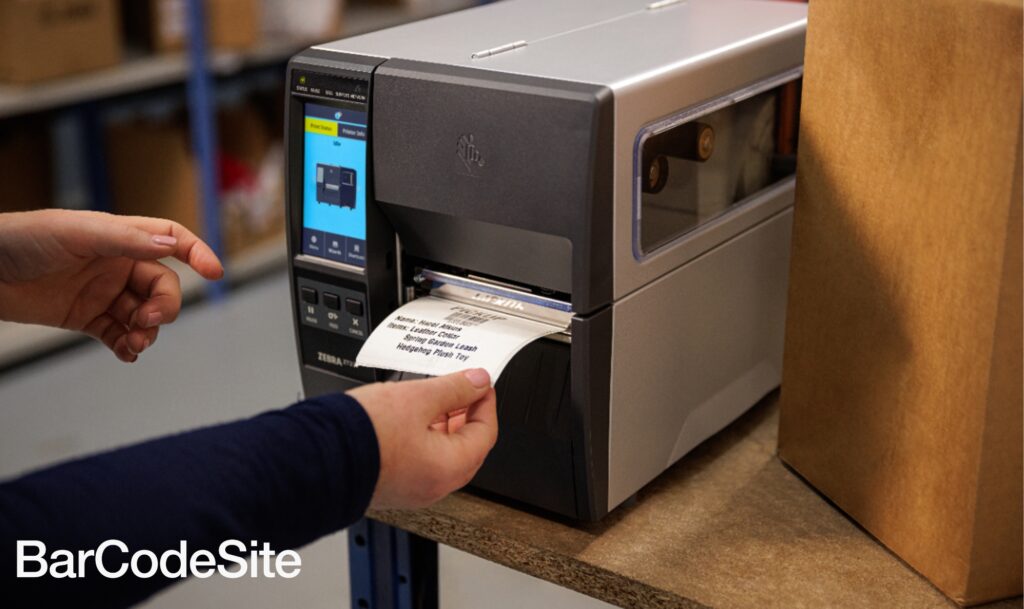
- Every 2 rolls or 1 roll of paper (barcode printers).
- When print quality problems persist.
Be careful and use the proper tools to avoid damaging the print head.
What is print head alignment?
In printers like Epson that the head is inserted in the printing carriage, there are times when you may see that the vertical lines are not completely aligned, or see that the horizontal bands have bands, this problem can be solved from the printer software, there are machines that can be done from the printer itself and others that are better from the computer because it is easier.The test prints some squares:

For more information on What is a print head? and how to clean the printer head, do not hesitate to contact us and one of our sales representatives will assist you as soon as possible. You can consult Zebra Technologies’ head maintenance guides.