¿What is ZebraDesigner 3?
ZebraDesigner 3 is a barcode label design software. This makes creating industry-standard labels simple. There are two editions to choose from:- ZebraDesigner Essentials is a free Windows-based WYSIWYG software that offers basic barcode label printing and design features (no license key required).
- ZebraDesigner Professional offers a more robust set of tools for creating complex label designs, including RFID support, database connectivity, simple VB scripts, and data manipulation and concatenation. Requires purchase of a one-time activation license key.
Features and benefits of ZebraDesigner 3:
- – Allows you to quickly and easily create professional-looking labels and tags, from simple to complex formats, using the intuitive and familiar interface
- – The user interface is available in 20 languages
- – Connection with Microsoft Excel, Microsoft Access and text files or other databases
- – Intuitive Windows-based WYSIWYG interface enables simplified in-window design and editing.
- – Latest version supports Zebra’s latest media offerings, along with improved wristband design and printing.
- – Bluetooth connected printers are now supported through driver installation.
- – The possibility of creating templates or using some that already exist in the system
- – Support for files created in ZebraDesigner version 2.
ZebraDesigner 3 installation requirements:
➤Operating System (32 or 64 bits):
Desktop editions for Windows 10, Windows 11, Windows Server 2016, Windows Server 2019, Windows Server 2022➤Software/Drivers:
Microsoft .NET Framework v. 4.7.2 A printer driver is recommended for ZDesigner Windows v. 8.6 or higher If command language support is required for CPCL or EPL printers, printer driver v. 5.x➤System:
Intel x86 family processor supported 2 GB RAM, 1 GB available disk space 1366 x 768 or higher resolution display- Virtualization Remote Desktop Services:
➤Compatibility:
ZebraDesigner 2 Label Files; Can be opened/edited in ZebraDesigner Essentials 3 ZebraDesigner 2 Pro label files; Can be opened/edited in ZebraDesigner Professional 3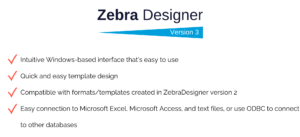
Differences between ZebraDesigner Essentials 3 and ZebraDesigner Professional 3:
ZebraDesigner Essentials 3-
- – A free version for basic barcode design and printing functions. Quickly and easily design professional labels without prior knowledge of barcoding or labeling using our Microsoft Office-style interface.
- – Set your user interface in one of 20 international languages..
- – Start with a basic template design that includes text, barcode, and graphic objects.
- – Use keyboard input, date, time and counter data sources.
- – Benefit from the GS1-128 Barcode Wizard.
- – Use one of the pre-designed label templates or create one from scratch in minutes.
For a more robust toolset, try the Professional edition. It’s free for 30 days.
ZebraDesigner Professional 3
- – Requires purchase of a one-time activation license key.
- – A more robust set of tools for creating complex label designs, including RFID support, database connectivity, simple VB scripts, and data manipulation and concatenation.
If you need the steps to activate ZebraDesigner 3, we leave you an explanatory document on How to activate ZebraDesigner 3? Request your quote now with Barcode Site.
Now that we have answered your question, what is ZebraDesigner 3? from Zebra Technologies, if you need advice, do not hesitate to contact us and one of our salespeople will be able to contact you today.
VISIT OUR WEBSITE